
Most tattoo consultation problems start with translation. A client says “protective but elegant,” the artist hears three possible styles, and the first sketch takes a direction nobody intended. An AI tattoo generator can help when it is used as a briefing tool: not to replace the artist, but to make the idea visible enough to discuss.
The most useful AI tattoo workflow is practical: make several directions visible, compare them at the intended placement, and turn the strongest option into a clearer brief for an artist. The generator is a conversation aid, not a substitute for tattoo expertise.
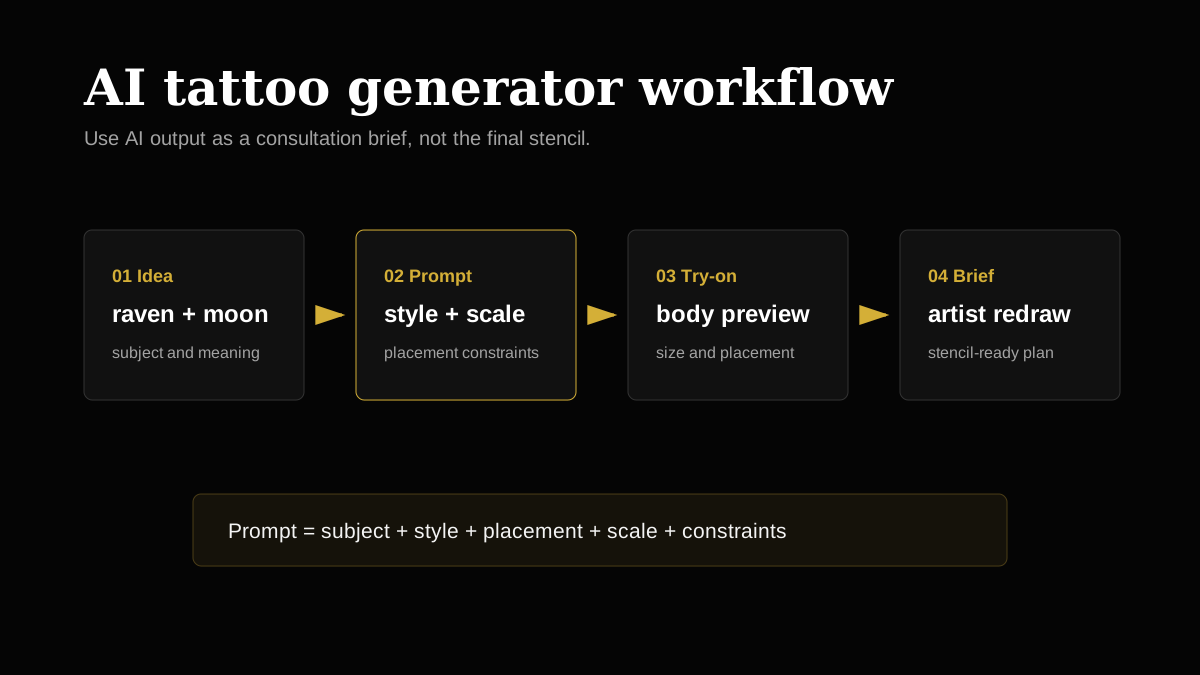
A Better AI Tattoo Prompt Framework
| Prompt Part | What to Include | Example |
|---|---|---|
| Subject | Main image, symbol, animal, object, or text | raven with moon phases |
| Style | Traditional, blackwork, fine-line, Japanese, realism | blackwork with dotwork shading |
| Placement | Body area and orientation | outer forearm, vertical composition |
| Scale | Approximate size or coverage | 7 inches tall, medium detail |
| Constraints | What to include, avoid, or simplify | avoid tiny feathers, keep silhouette readable |
What AI Should Do Before the Consultation
- Turn a vague idea into several visual directions.
- Help you compare style families before choosing one.
- Reveal scale and placement problems through virtual tattoo try-on.
- Give your artist a clearer starting point for redrawing.
- Reduce the chance that the first sketch solves the wrong problem.
What AI Should Not Decide
AI does not know your skin texture, scar tissue, pain tolerance, or the way a specific artist packs black, builds color, or handles healed contrast. The final tattoo should still be redrawn by a professional. The goal is a better conversation, not a one-click permanent decision.
| User Search | Likely Need | Content Answer |
|---|---|---|
| free ai tattoo generator | Try concepts before paying or booking | Explain prompt quality and design limits |
| tattoo creator | Make a custom idea | Show subject, style, placement, and refinement steps |
| tattoo maker online | Fast visual output | Pair generated art with artist consultation guidance |
| tattoo ai generator free | Low-friction exploration | Offer examples, not only a button |
How to Build an Artist-Ready Brief
- Choose 3 generated references, not 20. Too many options make the direction harder to read.
- Write what you like about each reference: composition, mood, line weight, or symbolism.
- Add a body photo preview so the artist can evaluate placement.
- Mention what you do not want, such as color, faces, religious symbols, or micro detail.
- Ask the artist what needs to change for stencil clarity and healed readability.
FAQ
Is an AI tattoo generator safe to use for real tattoos?
It is safe as a planning tool. Use AI output as a reference, then have a tattoo artist redraw the design for anatomy, stencil quality, skin tone, line weight, and long-term readability.
What makes a good AI tattoo generator prompt?
A good prompt includes subject, style, placement, size, line weight, color or blackwork preference, mood, and constraints. Specific prompts produce more useful tattoo references than one-word ideas.
Can I use a free AI tattoo generator before booking?
Yes. A free generator is useful for brainstorming and comparing directions. Before booking, check the design at real scale and ask an artist what should be simplified or redrawn.

